
Most release-day disasters are not exotic. They are an upgrade that wipes a login, a permission prompt that never appears on Android 15, or a checkout that fails on a slow carrier. This mobile app testing checklist gives you the pass or fail checks to run on iOS and Android before every release, grouped so you can split them across testers and finish in a day.
Key takeaways
- Test the upgrade path, not just fresh installs: most real users arrive by updating.
- Choose release devices from your own analytics, then add budget Android and old OS versions.
- Run core flows on real networks, with interruptions, before you sign off.
- Check permissions, notifications, payments and deep links on both platforms separately.
- Finish with store readiness: metadata, privacy labels, crash-free rate and staged rollout.
How to use this mobile app testing checklist
Good mobile app testing before a release is about coverage and discipline, not heroics. Treat every line as a binary check: pass, fail or not applicable. Because vague items invite vague answers, each check names a concrete action. Split the sections across testers, so each person owns a slice on a specific set of devices.
In addition, record the build number, device and OS for every result. A “pass” without an environment is not evidence. Finally, anything that fails becomes a bug report with steps and a recording, then goes through triage before release.
Keep this checklist in your test management tool, such as TestRail, so results from each release can be compared. As a result, you can see which areas fail repeatedly and deserve automation or extra exploratory sessions.
Before you start: mobile app testing prerequisites
- Release candidate builds are available on TestFlight and a Play internal or closed testing track.
- Release notes list new features, fixed bugs and known issues.
- Test accounts exist for each user type: new, returning, premium, admin and region-specific.
- Payment sandbox or test cards are ready for every supported method.
- Feature flags are set to their production values.
- The previous production version is available for upgrade testing.

Choosing devices for mobile app testing
Your device matrix decides what you can catch. Start from your analytics, not from the phones on your desk. Then, fill the gaps that analytics hide, such as older OS versions that still convert well in some markets.
| Tier | iOS examples | Android examples | Why it matters |
|---|---|---|---|
| Current flagship | iPhone 16 Pro, iOS 18 latest | Pixel 9, Galaxy S24 on Android 15 | New APIs, high refresh rate, latest OS behavior |
| Popular mid-range | iPhone 13, iPhone SE (3rd gen) | Galaxy A55, Redmi Note 13 | Where most of your users actually are |
| Budget and older | iPhone XR on oldest supported iOS | Galaxy A15, Moto G Play, Android 11 or 12 | Low memory, slow storage, older WebView |
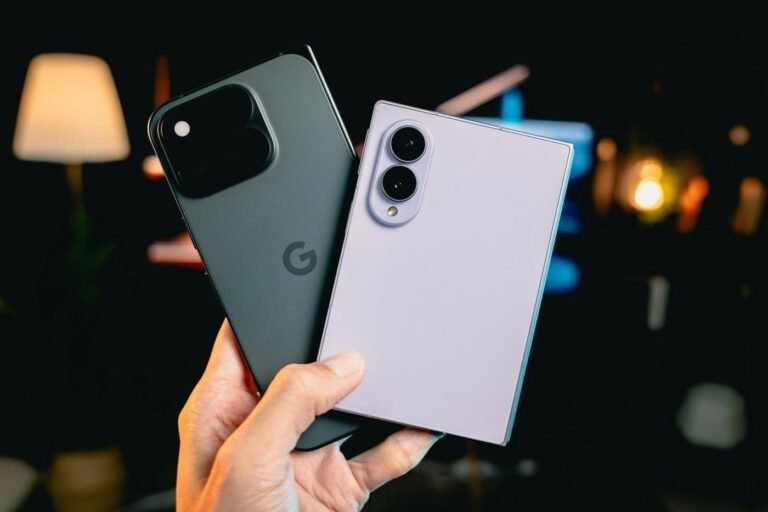
| Large and foldable | iPad Air, iPad mini | Galaxy Z Fold6, Pixel Tablet | Layout breakpoints, multi-window, continuity |
| OEM skins | Not applicable | Xiaomi HyperOS, OnePlus OxygenOS, Oppo ColorOS | Aggressive battery killers and custom permissions |
For a deeper approach, see our guide to building a device matrix in 2026. Also, resist relying on simulators for release sign-off, because mobile app testing on real hardware catches OEM, carrier and wallet issues that emulators cannot reproduce.
Install, upgrade and launch checks
Installation paths are where data loss hides. For example, a migration that works on a fresh install can corrupt a local database created three versions ago. Therefore, upgrade testing deserves its own owner.
- Fresh install from the store build launches without crash on every matrix device.
- Upgrade from the current production version keeps login, settings, drafts and offline data.
- Upgrade from a version two or more releases old still migrates data correctly.
- Cold start time is acceptable on the slowest supported device.
- App relaunches correctly after being killed by the OS in the background.
- Uninstall and reinstall restores what the account should restore, and nothing it should not.
- Forced update or minimum version prompt works if the release requires it.
- App size and download size are within expectations for cellular downloads.
Core flows and functional mobile app testing
Next, verify the flows that make you money or keep users. Run each one end to end on at least one iOS and one Android device per tier. In mobile app testing, a flow that passes on iOS tells you nothing about Android, so never let one platform stand in for the other.
- Sign-up with email, phone OTP, Sign in with Apple and Google sign-in.
- Login, logout, session expiry and “remember me” behavior.
- Password reset, including the email or SMS link opening in the app.
- Primary task flow, such as booking, posting, ordering or streaming.
- Search, filters and sorting with empty, single and large result sets.
- Profile edit, image upload from camera and gallery, and account deletion.
- Every new feature in the release notes, plus every bug fix verified on the original device.
Deep links and notifications
- Universal links (iOS) and App Links (Android) open the right screen from email, SMS and browsers.
- Deep links work from a cold start, a warm start and when logged out.
- Push notifications arrive, display correctly and route to the right content.
- Notification permission prompt appears at the intended moment on iOS 18 and Android 13 or later.
- Rich notifications show images and actions; silent pushes update content.
Network, interruption and device-state mobile app testing
Real users are not on office Wi-Fi. They are on a train switching from 5G to 3G, or in a building with one bar of signal. Consequently, network checks catch some of the most damaging release bugs, such as duplicate orders and lost uploads.
| Condition | What to check | Example failure |
|---|---|---|
| Slow 3G or throttled | Loading states, timeouts, retry | Spinner never ends; no retry button |
| Offline | Clear offline message, cached content, queued actions | Form data lost when signal drops |
| Network switch | Wi-Fi to cellular mid-request | Upload restarts from zero or duplicates |
| Real carriers | SMS OTP and push on local carriers | OTP never arrives on one carrier |
| Interruptions | Calls, alarms, app switching, lock screen | Video call drops; payment state lost |
| Low resources | Low battery mode, full storage, low memory | Crash on save when storage is full |
In addition, test rotation, split screen on Android and Stage Manager on iPad if you support them. Also check dark mode, the largest system font size and display zoom, because these settings break layouts more often than any device does.
Permissions, privacy and security checks
Permissions are a frequent source of release regressions in mobile app testing. They behave differently on each platform, and they change with almost every OS release. Therefore, test them on the newest and the oldest OS you support.
- Each permission prompt appears with a clear pre-prompt explaining why it is needed.
- Denying a permission leaves the app usable, with a path to enable it later in settings.
- Approximate location, limited photo library access and “allow once” are handled.
- Permissions revoked in system settings while the app runs do not crash it.
- App Tracking Transparency prompt behaves as intended on iOS.
- No sensitive data appears in logs, screenshots in the app switcher or crash reports.
- Biometric login with Face ID, Touch ID and Android fingerprint, including fallback to passcode.
- Session tokens are cleared on logout and after account deletion.
Payments, localization and accessibility checks
These three areas carry high business risk and are easy to under-test, because they depend on real markets, real wallets and real assistive technology. Each deserves a dedicated tester in the markets you sell in.
Payments and purchases
- In-app purchases and subscriptions: buy, restore, upgrade, downgrade, cancel and refund.
- Apple Pay and Google Pay complete on real devices with real wallets.
- Local methods work where you sell: UPI in India, Pix in Brazil, iDEAL in the Netherlands, Klarna in the Nordics and Germany, M-Pesa in Kenya.
- 3-D Secure challenges return the user to the app with the correct state.
- Double-tapping “Pay” never creates a duplicate charge.
For market-specific detail, see our payment testing guide for global checkout.
Localization
- No truncated or overlapping strings in German, Finnish, Russian or other long languages.
- Right-to-left layouts mirror correctly in Arabic and Hebrew.
- Dates, times, currencies, number separators and phone formats follow the device locale.
- No hard-coded English strings in new screens, errors or notifications.
Accessibility
- VoiceOver and TalkBack announce every control with a meaningful label.
- Focus order is logical, and no screen traps focus.
- Text scales to the largest Dynamic Type and Android font size without clipping.
- Touch targets are at least 24 by 24 CSS pixels, in line with WCAG 2.2 success criterion 2.5.8.
- Color contrast meets 4.5:1 for body text.
Performance and store readiness for release
Performance is the part of mobile app testing that teams most often skip under deadline pressure. However, performance problems rarely show up on a flagship phone. Run these checks on your lowest tier device, ideally after 20 minutes of use when the phone is warm.
- No visible jank when scrolling long lists or feeds.
- Memory stays stable after repeated navigation; no out-of-memory crash.
- Battery drain in the background is reasonable over one hour.
- Crash-free sessions in the beta track meet your release threshold.
App store readiness
- Store screenshots, descriptions and “What’s new” text match the release in each language.
- Privacy nutrition labels and the Play Data safety form match actual data collection.
- The build follows Apple’s App Store Review Guidelines, especially for login, purchases and account deletion.
- Target SDK level meets current Google Play requirements.
- Staged rollout percentages and a rollback plan are agreed.
- Monitoring, crash reporting and alerts are live for the new version.
A sample 48-hour mobile app testing timeline
- Hour 0: release candidate shared with notes, accounts and this checklist.
- Hours 1 to 12: install, upgrade, core flows and permissions run in parallel on 20 devices.
- Hours 12 to 30: network, payments, localization and accessibility passes in target markets.
- Hours 30 to 40: fixes verified on the original failing devices; regression on core flows.
- Hours 40 to 48: store readiness review and go or no-go decision.
TestGate’s mobile app testing cycles run this kind of pass on real devices and carriers, with every bug reproduced and triaged before it reaches Jira or Linear.
Frequently asked questions
What should a mobile app testing checklist include?
It should cover install and upgrade paths, core user flows, device and OS coverage, network conditions, interruptions, permissions, payments, localization, accessibility, performance and app store readiness. Each item should be a pass or fail check.
How many devices do I need for mobile app testing before release?
Most teams cover 15 to 30 real devices for a release, chosen from their own analytics: the top models by usage, the oldest supported OS versions, budget Android phones and at least one tablet and foldable if they are supported.
How long does release testing for a mobile app take?
With a prepared checklist and parallel testers, a focused release pass can be done in 24 to 48 hours. Large releases or new markets may need a longer cycle with exploratory sessions.
Is testing on emulators enough before an app release?
No. Emulators are useful for early development, but they miss real carrier behavior, OEM customizations, thermal throttling, biometrics and payment wallet flows. Always run release checks on real devices.
Ship your next release with confidence
Hand us your release candidate and this checklist, and real testers on real devices will run it within a day: talk to us.